
Paint the Flag
Mobsmile Yazilim Hizmetleri Limited SirketiTrivia
4.6762.00 Reviews
- Version
- 2.7.12
- Installs
- 5.00M
- Age Rating
- Everyone
Screenshots

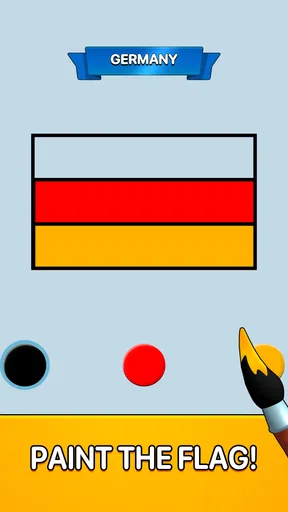
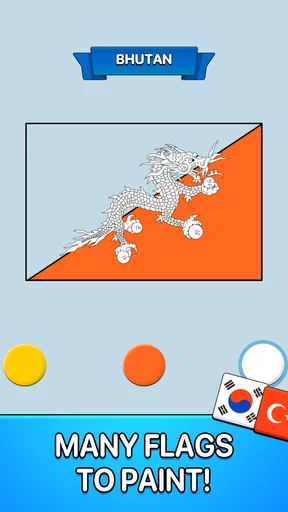
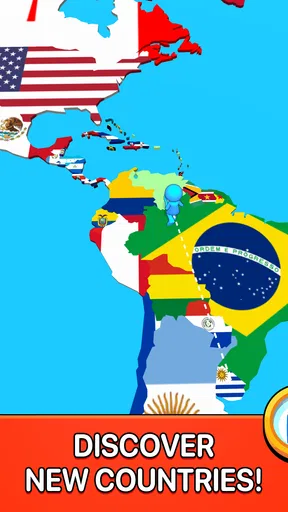
Our Review of Paint the Flag
 Analysis by Appyee
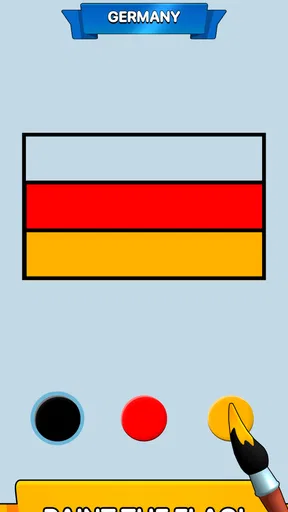
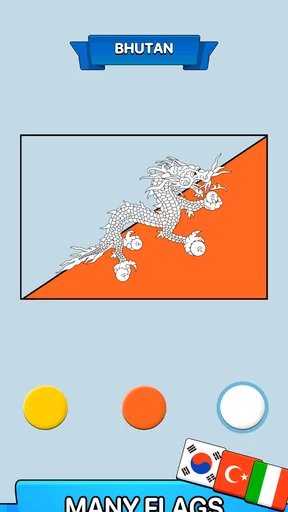
I found Paint the Flag easy to understand within moments: the task is to recognize a national flag and fill it with the right colors. That simple idea makes it a relaxed trivia game rather than a demanding quiz, and I can see why it has attracted a 4.6 average from around 50 thousand ratings and more than five million installs. I spent time looking at it not only as a quick pastime, but also at how comfortably different people can read, control, and enjoy it in different situations.
The game is free to start, carries an Everyone age rating, and comes from Mobsmile Yazilim Hizmetleri Limited Sirketi. Its current version is 2.7.12, with support beginning at Android 7.1. That combination makes it approachable for people using older phones as well as newer devices. Still, the main question is not whether the concept is understandable. It is whether the visual color task remains comfortable when eyesight, color perception, hand control, attention, or the playing environment varies.
How clearly the flag-painting idea comes across
The strongest part of the experience is its immediate premise. I do not need a long tutorial or knowledge of complicated rules before starting. A flag appears to be completed by choosing its proper colors, so the game communicates its goal through the activity itself. That is valuable for younger players, casual users, and anyone who prefers learning by doing instead of reading instructions first.
As a trivia game, it sits somewhere between a geography quiz and a simple coloring challenge. Traditional flag quizzes usually ask me to identify a country from several answers, while this game makes me reconstruct the visual pattern. That difference matters. I am not only recalling a name; I am thinking about stripes, blocks, symbols, and the order in which colors belong. For some players, that visual memory exercise feels more engaging than tapping a written answer.
The uncluttered concept also helps in short sessions. I can imagine opening it while waiting for an appointment, taking a few turns during a break, or handing the phone to a child who wants a quiet activity. There is no need to reserve a long period for it. Its small learning curve means that another person can understand the objective simply by watching one round.
There is a useful difference between recognizing a flag and remembering how to reproduce it. I may know that a design belongs to a particular country but still hesitate over whether a color belongs at the top, bottom, center, or side. That makes the game a gentle test of detail rather than a pure memory check. If I want to improve, I pay closer attention to layouts instead of relying only on familiar country names.
Readability is central to the experience
Because the whole challenge depends on seeing colors and shapes, visual clarity is more important here than in a text-heavy trivia game. A player with comfortable color vision can usually understand the task naturally, but someone with color-vision differences may face a deeper problem: the answer itself is encoded through color. Even when the flag’s arrangement is familiar, distinguishing similar shades can be difficult.
I would therefore treat this as a game that benefits from a bright, steady display and a clean viewing angle. Playing in direct sunlight, with a dim screen, or on a very small phone can make close colors harder to separate. Increasing screen brightness when appropriate and avoiding glare are practical adjustments, although they cannot remove every visual barrier.
Text size is another consideration. The core activity is graphical, so reading demands may be lighter than in a question-and-answer quiz. That can help players who find dense text tiring. On the other hand, any country labels, prompts, or interface text still need to be legible, and a player who relies on large text may not receive the same benefit from system-level text enlargement if the important information is drawn inside the game rather than presented as adjustable text.
I also prefer to approach each flag slowly rather than tapping immediately. Looking at the complete layout first gives me a chance to identify the broad pattern: horizontal bands, vertical sections, a corner design, or a central emblem. This is more reliable than starting with the most obvious color and trying to correct mistakes afterward. It is a small habit, but it makes the game less frustrating for players who process visual information at a slower pace.
Navigation and learning without pressure
The basic interaction is friendly to people who dislike complicated menus. There is no need to learn a large control scheme, memorize gestures, or manage a character while answering. That simplicity makes it suitable for a quick introduction to geography. A parent could use a round as a conversation starter, asking why a flag uses a particular arrangement or what country it represents.
At the same time, the game is not a replacement for a structured geography lesson. It gives me a visual task, but I would not expect every round to explain the history or meaning behind a flag. Someone who wants detailed country facts, maps, capitals, or pronunciation practice would probably get more value from a dedicated educational app. This title works best as an accessible entry point or a memory refresher, not as a complete reference tool.
One practical advantage is that the activity can be understood without strong English fluency if the visual instructions are clear. The flag itself carries much of the meaning. That does not guarantee that every text element will be equally accessible to every language group, but the central challenge is less language-dependent than a trivia game built around long questions and nuanced wording.
Motor, sensory, and everyday access
The painting format sounds gentle, but the physical demands depend on how precisely the game expects me to select colors or areas. A player with steady touch control should find the interaction manageable. Someone with tremors, limited reach, or difficulty making small taps may find repeated selections more tiring, especially if a mistake requires returning to a particular part of the flag.
This is where the game’s simplicity has two sides. There are fewer controls to coordinate than in an action game, which is helpful for players who avoid fast movement or multi-button input. Yet the task may still require accurate touches on a phone screen. A larger device can provide more space, but it may also be harder to hold for long periods. A stand or a table can reduce hand strain during a longer session.
I would not describe the experience as physically demanding, but I also would not assume that “casual” means effortless for everyone. A person who uses a stylus or prefers a larger touch target may need to test the game personally. The best fit is likely someone comfortable with ordinary tapping and selecting, rather than someone looking specifically for switch access, voice control, or hands-free play.
Sensory load appears more limited than in many modern games because the concept is static and focused. There is no need to track a moving character, react to enemies, or follow a busy game world. That makes it a calmer choice for someone who wants a short mental activity without action-heavy stimulation. However, color remains the dominant sensory channel, so reduced color discrimination is a more serious concern here than it would be in a word puzzle.
Players who are sensitive to visual intensity may appreciate approaching it in short sessions and using a comfortable display setting. Players who are sensitive to sound should check the game in their own environment and adjust the device as needed. I do not want to promise a particular audio or visual accessibility option without seeing it available in the version being used, so I would judge those controls directly on the device rather than assume they exist.
Useful situations for different players
In an everyday scenario, I can see myself using it during a short commute while seated, with the phone held close enough to inspect each design. I would not choose it while walking, cooking, or doing anything that divides my attention. The game may be simple, but identifying a flag accurately still benefits from looking at the whole screen. This is a good example of situational access: a person may handle the game comfortably in a quiet room but struggle with glare, movement, or interruptions outside.
It could also work well as a shared activity. One person can name the country while another chooses the colors, turning the game into a cooperative geography prompt even if the software itself is designed for individual play. That approach may help a child who is still learning to read, or an older player who enjoys conversation more than competition. It also reduces the pressure on one person to remember every detail alone.
For families, the Everyone rating makes the game easier to consider for mixed-age use. I would still sit with younger children at first, not because the premise is complicated, but because the visual answer can encourage guessing. Asking them to describe the flag’s structure before choosing a color turns random tapping into a more thoughtful exercise.
The game can be useful for adults who already know many flags but want a low-effort way to keep those details fresh. It is less suitable as a serious study tool for an exam, because a focused learner may need explanations, spaced repetition, searchable references, and control over which countries appear. In that situation, a dedicated flashcard or geography-learning app would offer a more deliberate workflow.
Where it differs from ordinary trivia alternatives
Compared with a standard multiple-choice trivia game, this experience gives less help from written options. In a conventional quiz, I can often eliminate obviously wrong answers or recognize a familiar country name. Here, the visual arrangement has to be reconstructed, so partial knowledge is not always enough. That makes each answer feel more like a small design problem.
Compared with a coloring app, it has a clear knowledge goal. I am not simply filling shapes with colors I like; I am trying to match a real-world flag. That makes the activity more purposeful, but it also removes the freedom that makes open-ended coloring relaxing. Someone seeking creativity and unlimited designs should choose a coloring application instead.
Compared with a geography reference, it is much faster and more playful. I can learn through repetition without opening a map or reading a long entry. The trade-off is depth. It gives me practice recognizing visual patterns, not a full explanation of national symbols. I see that limitation as acceptable when the goal is a few minutes of light learning, but important when someone expects a comprehensive educational resource.
Practical friction and spending considerations
The free price lowers the barrier to trying it, which is especially useful for families deciding whether the visual format suits them. There are in-app purchases ranging from $2.99 to $19.99 per item. I would keep that in mind before giving the phone to a child, because free installation does not mean every part of the experience is necessarily free.
My advice is to test the core activity first and decide whether it remains enjoyable after the novelty of the concept fades. If the game becomes a regular short-session habit, a purchase may feel more reasonable to some players; if it is only an occasional curiosity, spending may not add enough value. I would also review the device’s purchase protections before sharing it with younger users.
Another trade-off is repetition. The flag-painting idea is immediately understandable, but that also means the novelty depends on how much variety and challenge the player encounters. People who need constant new mechanics may find the format narrow. Players who enjoy recognizing patterns and gradually becoming more accurate are more likely to appreciate its focused design.
Who should try it, and who should skip it?
I would recommend it to casual trivia fans, families looking for a simple geography activity, and players who enjoy visual memory challenges more than long written quizzes. It is particularly appealing if I want something I can understand quickly, play in short bursts, and share with someone else without explaining a complicated rule set.
I would be more cautious if color discrimination is difficult, if small touch targets cause problems, or if I need strong accessibility customization. The game’s central mechanic leaves little room to work around color-based obstacles. A word-based geography quiz may be a better choice for someone who wants to answer through country names rather than visual matching.
I would also skip it if my main goal is deep learning. A map app, atlas, flashcard system, or educational course would provide more context and more control. This title is best understood as a focused visual trivia pastime, not a complete geography curriculum.
My inclusive verdict
Paint the Flag succeeds because it turns a familiar subject into a direct, low-pressure visual task. I like that I can begin without mastering complicated controls, and I appreciate the way it encourages attention to details that ordinary multiple-choice quizzes often let me ignore. Its age rating, free entry point, and support for Android 7.1 make it approachable for a broad range of users.
Its inclusiveness has a clear boundary: color is not just decoration here; it is the answer. Players with color-vision differences, low vision, or difficulty with precise touch should treat that as a central decision point rather than a minor inconvenience. The same applies to anyone playing in glare, while distracted, or on a device that makes the flag details hard to inspect.
After considering those trade-offs, I see it as a good recommendation for someone who wants a calm, visual trivia game that fits into spare moments. I would introduce it with a shared round, use a comfortable display, and focus on describing the flag’s structure before tapping. The best reason to try it is its clear connection between geography and visual memory; the best reason to choose another app is the need for deeper explanations or stronger alternatives to color-based interaction.
For the right player, that focused design is a strength rather than a weakness. It does one small thing clearly: it asks me to look carefully, remember what I know, and rebuild a flag through its colors. That is enough to make a short break more engaging, provided the visual and motor demands match the person using it.
Verdict
Strengths of Paint the Flag
- Simple controls make it easy for anyone to start playing quickly.
- Short rounds are convenient for quick entertainment sessions.
- Colorful visuals make the gameplay clear and enjoyable.
- The concept encourages creativity through different flag designs.
- Lightweight gameplay should run well on many mobile devices.
Limitations of Paint the Flag
- Gameplay may feel repetitive after several rounds.
- Limited depth could disappoint experienced puzzle or strategy players.
- Some flags may be difficult to recognize without extra context.
- Progression can feel less rewarding for players seeking long-term goals.
- Ads or in-app purchases may interrupt the overall experience.
Similar Picks in This Category
View All
Millionaire 2026 Quiz & Trivia
Quiz & Trivia Games by Submarine Apps4.5

Brain Test 2: Tricky Stories
Unico Studio4.7

Trivia Crack: Brain Quiz Games
etermax4.4

QuizzLand. Quiz & Trivia game
Quiz & Trivia Games by Mno Go Apps4.8

Brain Test: Tricky Puzzles
Unico Studio4.7

Logo Quiz
bubble quiz games4.5
Frequently Asked Questions
What is Paint the Flag and how does the game work?
Paint the Flag is a casual puzzle game focused on coloring and identifying national flags. Players generally complete flag designs by selecting the correct colors and applying them to the appropriate sections. The straightforward gameplay makes it easy to start, while the growing number of flags and increasingly challenging layouts can test your memory, attention to detail, and knowledge of countries from around the world.
Is Paint the Flag suitable for children and beginners?
Yes, Paint the Flag is generally suitable for children, beginners, and anyone looking for a simple educational game. Its controls are easy to understand, and the flag-based challenges can help players become more familiar with national colors and patterns. Parents should still review the app’s age rating, advertising, and privacy information before allowing younger children to use it.
Can Paint the Flag be played without an internet connection?
The availability of offline play may depend on the version installed and the device you are using. Many basic coloring or quiz activities can work without a constant connection, but advertisements, updates, analytics, leaderboards, or other online features may require internet access. It is best to launch the game once while connected and check which functions remain available offline.
Does Paint the Flag contain advertisements or in-app purchases?
Paint the Flag may include advertisements or optional purchases, as is common with free mobile games. Ads can appear between rounds or when players request hints, extra attempts, or other bonuses. Before downloading, check the listing on Google Play or the App Store for current pricing and purchase details. If children use the app, parental purchase controls are recommended.
What permissions and device requirements does Paint the Flag need?
Paint the Flag normally requires only standard permissions needed to run the game, display advertising, and save basic progress, although the exact requests can vary by platform and app version. Confirm that your phone meets the minimum operating-system requirements and has enough storage for installation. Reviewing the store listing and privacy policy is advisable before granting any optional permissions.
Play our best games!


